UX
Engagement on ESPN Fantasy



01 / CONTEXT
Firefly is Adobe’s generative AI platform for creating images, graphics, video, and audio. Over time, each workflow (Text to Image, Text to Video, Generate Sound Effects) was built independently, resulting in inconsistent prompting experiences across the product.
02 / CHALLENGE
Each workflow had grown its own prompting conventions. As Firefly expands into mutlimodal prompting and third-party models, these inconsistencies will only become harder for users to navigate.
Adobe asked our team to step back and look at prompting as a system rather than a widget. The goal wasn’t to add new features, but rather to understand how users actually move through Firefly and how the product could feel like one coherent environment rather than three loosely related tools.
03 / PROCESS
Firefly’s users aren’t a monolith. Some arrive with no generative AI experience at all, others show up with deeply engrained habits from tools like Claude or Chat GPT. It’s not fair to proceed as if all users have the same needs or pain points, so we split them into two groups, each with their own assumptions: Novice and Advanced users.
We also looked outward. If users are already trained by competitors, then Firefly isn’t just teaching prompting, it’s also competing with existing mental models. That raised a simple question: How are other tools doing it?
Our competitor analysis mapped how prompting appears, behaves, and scales across leading generative AI platforms that compete with Adobe. This helped us understand which patterns users already trust, which ones create friction, and where Firefly has room to differentiate.




04 / EVIDENCE
Our research surfaced a theme:
Every user arrives with expectations, based on prior experiences, and Firefly’s inconsistency across workflows broke them.
Beginner
Prompt bar is the whole mental model.
When its location or behavior changed, they lost confidence in what to do next.
“
I wouldn’t know to use the sidebar because it’s not what I’m used to for AI.
Beginner participant
Advanced
Expected use of the properties panel.
The properties panel varied between workflows, so the structure and clarity they expected never arrived.
“
The properties panel reminds me of Photoshop, so I have some idea of what to expect from it.
Advanced participant
All Users
Audio workflow completely broke the pattern.
A new interaction model deviated from what image and video generation had taught.
“
How the f*ck do I do this?
Beginner participant
05 / Solution
Solution aims to create a prompting pattern that:
(A)
scales from beginner to advanced users AND
(B)
maintains a consistent framework between workflows
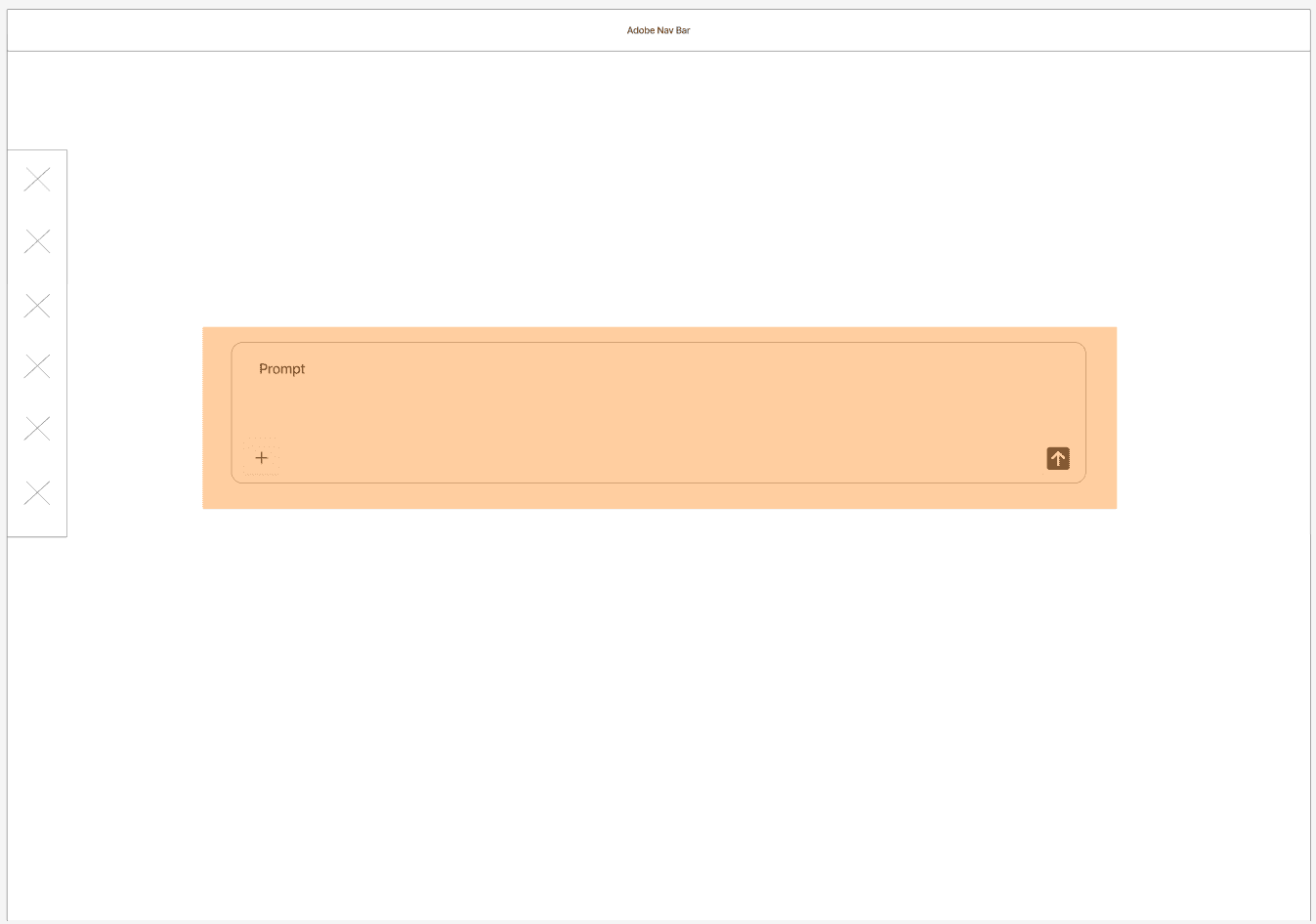
The solution operates on two main screens, before content generation and after, meant to apply to all workflows.


Five components carry the pattern:


06 / REFLECTION
Recognition
Adobe Senior Staff Designer Troy Church, who set the brief and judged the class submissions, selected our team’s solution as “most likely to work” among all entries.
What the project taught me:
(A)
Consistency is a design decision.
Every Firefly workflow made sense on its own, but the friction appeared when users carried expectations from one workflow to the next. That is why we treated prompting as a system rather than a widget.
(B)
User research changed our direction more than any competitor reference did.
Looking at competing platforms gave us ideas, but watching the users complete tasks in interviews gave us more information on how they interact with the current Firefly interface. This was key to developing our solution.
(C)
Familiarity can be the feature.
Our solution components borrowed from tools users already trusted, whether it be from advanced Adobe platforms like Photoshop to generative AI tools like ChatGPT. The question became where to match user expectations and where Firefly could do better.
What I’d do next:
Our work stopped at low-fidelity wireframes, so the pattern hasn’t been tested with users yet. Next, I would test the prompt bar and plus menu with beginners to see whether the menu actually encourages them to understand what the property panel offers.
I’d want to check in with the same beginner users later, ask them to run similar tasks, and see if they actually use the property panel now. Conversely, I’d be interested to see if advanced users change their habits, too. Are they more reliant on the plus menu now that it is presented as an option?